Progress
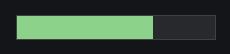
The progress control displays the progress of an operation.
Quick Start
#include <wui/control/progress.hpp>

// Horizontal progress
auto progress = std::make_shared<wui::progress>(
    0,    // from
    100,  // to
    0     // current value
);
window->add_control(progress, {10, 10, 200, 20});

// Vertical progress
auto v_progress = std::make_shared<wui::progress>(
    0, 100, 0,
    wui::orientation::vertical
);
window->add_control(v_progress, {10, 50, 20, 200});
Orientation
enum class orientation
{
    horizontal,  // Horizontal
    vertical     // Vertical
};
API
Constructor
progress(int32_t from, int32_t to, int32_t value,
         orientation orientation_ = orientation::horizontal,
         std::string_view theme_control_name = tc,
         std::shared_ptr<i_theme> theme_ = nullptr);
Parameters:
- from — range start
- to — range end
- value — current value
- orientation_ — orientation
- theme_control_name — theme name
- theme_ — theme
Methods
// Range
void set_range(int32_t from, int32_t to);

// Value
void set_value(int32_t value);

// Click callback
void set_click_callback(std::function<void(int32_t, bool)> click_callback);

// Progress points
void set_point(int32_t value, bool is_max);
Examples
File Download
auto download_progress = std::make_shared<wui::progress>(0, 100, 0);
window->add_control(download_progress, {10, 10, 300, 20});

// During download
void on_download_progress(size_t current, size_t total) {
    if (total == 0) return;
    int percent = static_cast<int>((100.0 * current) / total);
    download_progress->set_value(percent);
}
Vertical Volume Indicator
auto volume_progress = std::make_shared<wui::progress>(
    0, 100, 50,
    wui::orientation::vertical
);
volume_progress->set_click_callback([](int32_t value, bool is_max) {
    set_volume(value);
});
window->add_control(volume_progress, {10, 10, 30, 200});
Progress with Markers
auto progress = std::make_shared<wui::progress>(0, 100, 0);

// Set markers
progress->set_point(25, false);   // Minimum point
progress->set_point(75, true);    // Maximum point

window->add_control(progress, {10, 10, 300, 20});
Unknown duration
There is no built-in indeterminate animation. An application may update a value
periodically; see threads and timers for the actual
timer(callback) / start(milliseconds) API and safe UI delivery. Keep callback
state alive. For a download, guard against total == 0 before dividing.
Theming
{
  "type": "progress",
  "border": "#cccccc",
  "border_width": 1,
  "background": "#f0f0f0",
  "meter": "#06a5df",
  "round": 4,
  "meter_positive": "#4caf50",
  "meter_negative": "#f44336"
}
See Also
- Slider — for manual value input
- Visual Themes